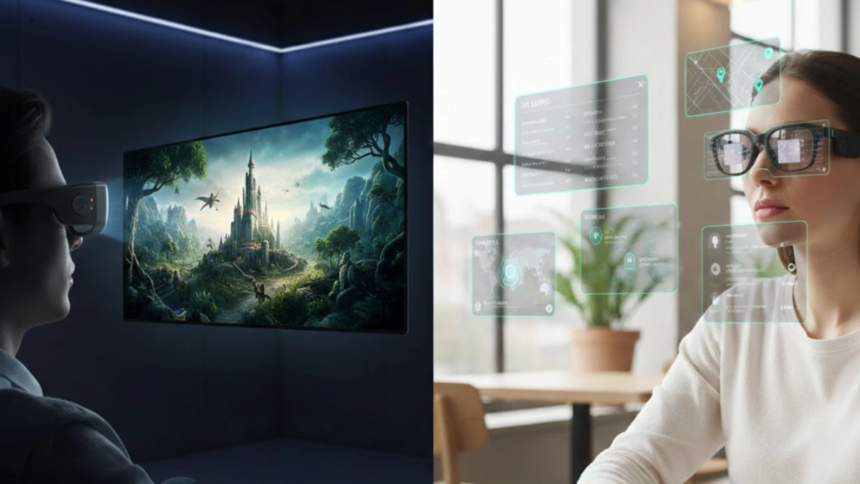
Most buyers compare field of view and resolution when shopping for smart glasses. They scroll past brightness entirely — the single spec that determines whether a display stays readable or fades to nothing outside a dim room.
The RayNeo Air 4 Pro delivers 1,200 peak nits with HDR10 support at a $299 list price. Other representative models range from 500 to 6,000 nits. This wide brightness gap shapes daily usability far more than pixel count.
This guide sorts representative current smart glasses into practical brightness tiers, explains the core display technology that powers each one, and maps each specific brightness level to the real daily scenario where it performs best.
Why Nits Deserve More Attention Than Resolution
A nit equals one candela per square meter — a direct measure of screen luminance. Smartphone makers pushed panels past 2,000 nits over the past decade to fix outdoor readability. The same physics governs AR wearable displays.
The smart glasses market in 2026 spans roughly 500 to 6,000 nits across representative models, depending on panel type, optics, and whether the number refers to perceived or peak brightness. Where a product lands dictates outdoor usability.
Consider: a 1080p panel at 600 nits shows less readable content outdoors than a lower-resolution screen at 1,500 nits. Resolution fills spec sheets and marketing copy. Brightness decides whether the glasses stay on your face after week one.
Where Smart Glasses Fall on the Brightness Scale
Display technology and optical design create a very wide brightness spread across the smart glasses market in 2026. Today’s current products cluster into four specific tiers, each matching a different lighting condition and content use case.
| Tier | Brightness | Examples |
|---|---|---|
| Daylight HUD | 3,000–6,000 nits | Meta Ray-Ban Display, RayNeo X3 Pro |
| Bright Indoor | 1,000–1,500 nits | RayNeo Air 4 Pro, Viture Beast |
| Standard Indoor | 500–700 nits | XREAL One Pro, Rokid Max 2 |
| Non-Display | N/A | Ray-Ban Meta, Oakley Meta |
Tier 1 — Daylight HUD: 3,000–6,000 Nits
The Meta Ray-Ban Display is a clear daylight-HUD example, reaching 5,000 nits with a 20-degree monocular display. RayNeo X3 Pro pushes peak brightness to 6,000 nits. Both are better suited to glanceable prompts, captions, and navigation than immersive media.
Tier 2 — Bright Indoor: 1,000–1,500 Nits
This tier fits most buyers. The Viture Luma Ultra tops the range at 1,500 nits. The Viture Beast reaches 1,250 nits at $549. The RayNeo Air 4 Pro hits 1,200 nits, adds HDR10 with 10-bit color, and is listed at $299.
Tier 3 and Tier 4 — Standard Indoor and Non-Display
XREAL One Pro at 700 nits and Rokid Max 2 around 600 nits are more comfortable in dim rooms and flights, but look less punchy in bright offices. Non-display frames like Oakley Meta provide AI without screens.
Display Tech Behind the Brightness Gap
Three core technologies power today’s smart glasses and determine their maximum brightness. Each carries distinct trade-offs in color accuracy, power efficiency, and form factor that dictate which tier a product occupies and where it performs best.
| Technology / Optics | Typical Current Range | Best For |
|---|---|---|
| Micro-OLED + birdbath optics | 500–1,500 nits | Indoor cinema, gaming, private screens |
| Micro-LED / microdisplay + waveguide optics | 1,200–6,000+ nits | HUD overlays, captions, translation, outdoor prompts |
| Non-display AI glasses | N/A | Camera, calls, music, voice AI |
Micro-OLED: The Indoor Workhorse
Most display smart glasses in 2026 use Micro-OLED, including the RayNeo Air 4 Pro and Viture Beast. These panels deliver contrast ratios above 100,000:1 with wide DCI-P3 coverage but typically peak between 600 and 1,500 nits, limiting full-sun readability.
Micro-LED: Engineered for Extreme Brightness
Micro-LED is favored for compact HUD glasses because it scales to very high brightness. Even Realities G2 lists 1,200 nits with a green panel, while full-color waveguide models like RayNeo X3 Pro deliver 6,000-nit peak brightness.
Waveguide: See-Through with Constraints
Waveguide systems pair a bright microdisplay with see-through optics. They are highly useful for glanceable text, captions, and AI prompts. However, they usually trade off FOV and resolution when compared against tethered cinema-style Micro-OLED glasses.
Matching Brightness Tiers to Real Use
These tiers matter most when mapped to your actual daily routine and highly specific environments. Indoor cinema and outdoor navigation sit at totally opposite ends of the brightness demand curve, requiring completely different hardware approaches.
Cinema and Portable Gaming
The RayNeo Air 4 Pro’s 1,200-nit Micro-OLED panel with HDR10 support produces highly visible contrast even in a normally lit living room. These three key factors shape perceived brightness well beyond the raw nit number:
- Ambient light — 500 nits handles darkness; 1,000 handles lit rooms.
- HDR10 — preserves more highlight and shadow detail within the panel’s 1,200-nit brightness ceiling.
- Contrast — panels at 200,000:1, like RayNeo Air 4 Pro, keep blacks deep.
Travel and In-Flight Use
Airplane cabins sit in the 300–500 lux range, making many Tier 3 display glasses usable for in-flight movies. The RayNeo Air 4 Pro weighs just 76 grams and its Whisper Mode audio cuts sound leakage.
Outdoor Navigation and Daylight HUD
Direct sunlight can approach 100,000 lux, which can overwhelm most Micro-OLED wearable displays below the 3,000-nit class. How well Tier 2 smart glasses perform outdoors depends very heavily on the specific ambient conditions at that exact moment:
- Shade — 1,200 nits stays readable under cloud cover.
- Sun glances — quick checks work, but sustained viewing fades.
- Full sun — favors HUDs above 3,000 nits; readability also depends on lens tint, background color, and optical design.
How to Pick the Right Tier
The right tier depends on where you wear the glasses most often during a typical week. Match your dominant use scenario to the brightness range below and skip paying for nits you will never use.
- Cinema and gaming — Tier 2 gives strong indoor brightness with better HDR contrast. Tier 3 needs dim rooms.
- Outdoor navigation — Tier 1 is the safer choice for direct-sun readability.
- AI and voice — Tier 4 covers audio-first use without display cost.
The RayNeo Air 4 Pro sits in the Tier 2 sweet spot at a $299 list price, with discounts often bringing it lower. HDR10 and image processing improve perceived contrast and preserve shadow detail, but the brightness ceiling remains 1,200 nits.
Where HDR10 and Value Change the Equation
Among current display-first smart glasses around the $299 tier, the RayNeo Air 4 Pro is one of the stronger value choices because it combines 1,200-nit Micro-OLED brightness, HDR10 support, 120Hz refresh, and B&O-tuned audio in a lightweight 76-gram frame.
Whether serving as a private cinema on a long flight, a portable big-screen gaming setup, or a sharp personal display for controlled indoor lighting, it offers highly competitive everyday value without requiring any flagship-level spending.