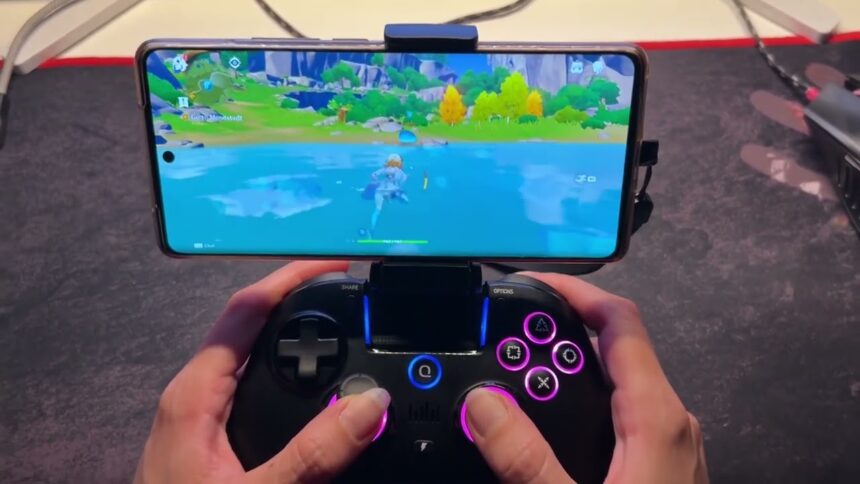
Genshin Impact is one of the most demanding open-world action role-playing games available on both PC and mobile platforms. While the mobile version allows players to explore Teyvat directly from their smartphones, some users may prefer the graphics and performance offered by a powerful gaming PC. Remote game streaming provides an alternative: the game runs on the computer, while the phone receives the streamed gameplay and sends control inputs back to the host device.
This method can be especially helpful if your phone has limited storage or hardware capabilities. Rather than relying solely on the phone’s processor and graphics, you can use your existing PC as the main gaming system. StarDesk is one solution designed for this type of setup and specifically allows players to stream Genshin Impact from a PC to their phones and tablets.
Can You Play Genshin Impact on a Phone
Remote desktop for gaming streaming differs slightly from traditional cloud gaming. Instead of running the game on a third-party gaming server, you can install Genshin Impact on your own PC and control it remotely from your phone. The PC handles the rendering while the phone displays the streamed game.
Two major reasons players may choose this method are the following:
Save phone storage:
The game stays installed on the host computer, so your phone doesn’t need to store the full PC version. StarDesk promotes this setup as a way to reduce mobile storage usage.
Use stronger PC hardware:
If your gaming computer has a better GPU and processor than your phone, remote streaming lets the PC handle the intensive graphics while your phone serves as the display and controller.
Why Use StarDesk for Genshin Impact?
StarDesk is designed for remote gaming and specifically supports Genshin Impact among other games. Its setup for Genshin Impact allows players to stream the game from a PC to devices like phones and tablets. This can be convenient for daily commissions, gathering resources, exploring Teyvat, or checking your account while away from your usual setup. You can keep the main game installed on your PC and access it remotely whenever needed.
Key StarDesk Features for Mobile Genshin Gaming
- High Image Quality
StarDesk supports up to 4K resolution and 144 FPS for remote streaming. This helps maintain sharp character models, environmental details, animations, and elemental effects when playing Genshin Impact on a capable gaming PC.
Multi-Platform Support
StarDesk works with iOS, Android, macOS, and Windows, allowing you to access the same remote gaming setup from different devices.
- Privacy Mode
Remote gaming can be inconvenient if someone is near the host computer and can see or hear the session. StarDesk includes features like Black Screen Protection, which hides the host display, and Mute Host Device, which stops session audio from playing through the controlled computer.
Remote Desktop vs. Native Mobile Gaming
Native mobile gaming is generally the simplest option since the game runs directly on the phone. Remote streaming, however, can be useful if you want to access the PC version without being at your computer.
A remote desktop can also be helpful if your phone has limited storage or if you prefer the performance of a gaming PC. The trade-off is that streaming heavily depends on network quality, so a weak or unstable connection can cause delays or visual interruptions.
FAQs
Can I play Genshin Impact on my phone remotely?
Yes. You can stream Genshin Impact from your PC to a compatible phone using remote gaming software like StarDesk.
Does remote gaming save phone storage?
Yes. By running the game on your PC, you can avoid using up storage space on your phone.
Does StarDesk support Android and iPhone?
Yes. StarDesk supports both Android and iOS, as well as Windows and macOS.
Can StarDesk stream Genshin Impact in 4K?
StarDesk allows streaming up to 4K and 144 FPS, depending on the hardware and connection available.
Conclusion
If you want to play Genshin Impact on phone while using a powerful gaming PC, remote streaming can be a useful alternative to relying solely on your mobile device’s hardware. StarDesk offers cross-platform access, high-quality streaming, custom controls, and privacy features, making this setup more convenient.
With the game running on your PC and the gameplay streamed to your phone, you can explore Teyvat, complete daily tasks, and manage your adventure even when you’re away from your main gaming setup.