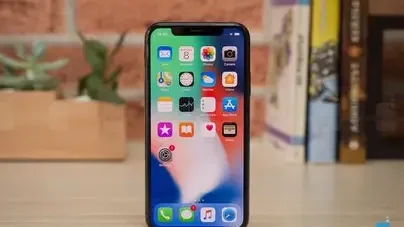
Before you upgrade your iPhone in the New Year, check your current battery health, how much storage you actually use, whether your phone still gets software updates, what your old phone is worth and which model fits your budget. These five quick checks help you decide whether to upgrade now or wait.
January is one of the most popular times to buy a new phone. Holiday gift money, New Year sales and fresh resolutions all push people to upgrade. But a new iPhone is a big purchase, so it pays to think it through first.
1. Check your battery health
Go to Settings, then Battery, then Battery Health. If maximum capacity is below about 80 percent, your phone will feel slower and need charging more often. In some cases, a battery replacement is all you need. If the battery is fine and the phone still feels fast, you may not need to upgrade at all.
2. Look at your storage use
Many people buy more storage than they need, while others run out within months. Check Settings, then General, then iPhone Storage to see how much space photos, videos and apps take up. If you shoot a lot of 4K video, choose at least 256GB on your next phone.
3. Confirm your phone still gets updates
Apple supports iPhones for many years, but older models eventually stop receiving new versions of iOS. Without updates, you miss out on security fixes and new features. If your phone has been dropped from the latest update, it is a good time to move on.
4. Find out what your old phone is worth
Trade-in programmes, resale apps and local marketplaces can cover a meaningful part of the cost of a new phone. Back up your data, sign out of your Apple account and reset the phone before you sell it.
5. Pick the right model for your budget
You do not always need the newest Pro model. Last year’s flagship or a standard model often gives you everything you need for less. Compare current options in the iPhone range at AppleBitcoin, and if you are new to buying from online retailers, read AppleBitcoin’s guide on how to order before checking out.
Quick upgrade checklist
- Battery health below 80 percent or frequent slowdowns.
- Storage regularly full.
- No longer receiving iOS updates.
- A good trade-in or resale value available.
- A clear budget and a shortlist of two or three models.
Frequently asked questions
How often should I replace my iPhone?
Many people upgrade every three to five years. If your battery, storage and software updates are still fine, there is no need to upgrade sooner.
Is a battery replacement worth it?
If your iPhone is otherwise in good condition, a battery replacement can make it feel like new for far less than the cost of a new phone.
How do I prepare my old iPhone for resale?
Back up your data, sign out of your Apple account, turn off Find My and erase all content and settings before selling or trading it in.
Final thoughts
A new year is a great time for a new phone, but only if it makes sense for you. Run through these five checks, and you will either save money by keeping your current iPhone a little longer or upgrade with confidence.