Long reports are easier to approach when you have a clear starting point
Long reports can contain valuable evidence, carefully qualified conclusions, and dozens of details that are difficult to keep in working memory. The challenge is not simply reading the pages; it is identifying the main argument, finding the figures that matter, and knowing where to return when you need to verify a claim.
An AI PDF summarizer can provide a useful first pass. It can turn a lengthy document into a structured overview, highlight important points, and preserve page references that help you return to the source. The result should be treated as reading notes—not as a replacement for the original report or for checking evidence before quoting it.
For a quick first pass, try the iBoomto AI PDF summarizer. Upload a PDF and the tool automatically generates a summary, so you do not need to write a prompt first.
The test document: the IPCC Climate Change 2023 Synthesis Report
For this walkthrough, we used the Intergovernmental Panel on Climate Change (IPCC) report Climate Change 2023: Synthesis Report. It brings together findings from the Sixth Assessment Report, including observed climate change, risks and vulnerabilities, possible long-term futures, and near-term response options.
The report is a useful test because it combines technical terminology, numerical estimates, scenario comparisons, and conclusions that depend on careful wording. A summary needs to preserve not only the headline findings, but also the context and uncertainty attached to them.
The report is available from the official IPCC report page. When using a public report in your own work, cite the original source and check reuse permissions before reproducing its figures or illustrations.
Step 1: Upload the PDF and let the summary generate
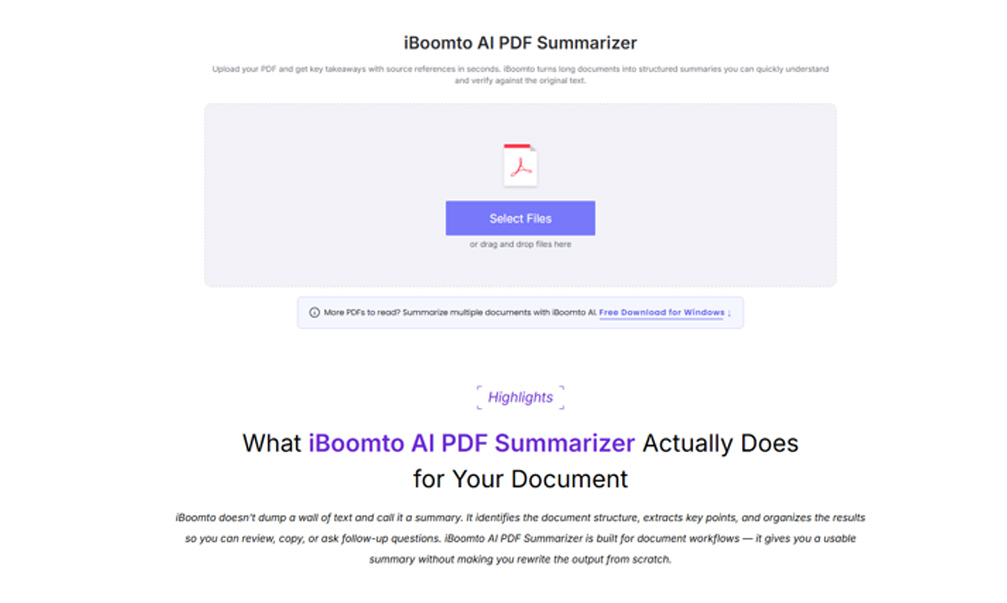
Open the online summarizer, select the PDF file, and upload it. Once the file has been processed, the summary appears automatically—there is no separate prompt-writing step. This makes the tool convenient when you want to get oriented before deciding which sections deserve a closer read.
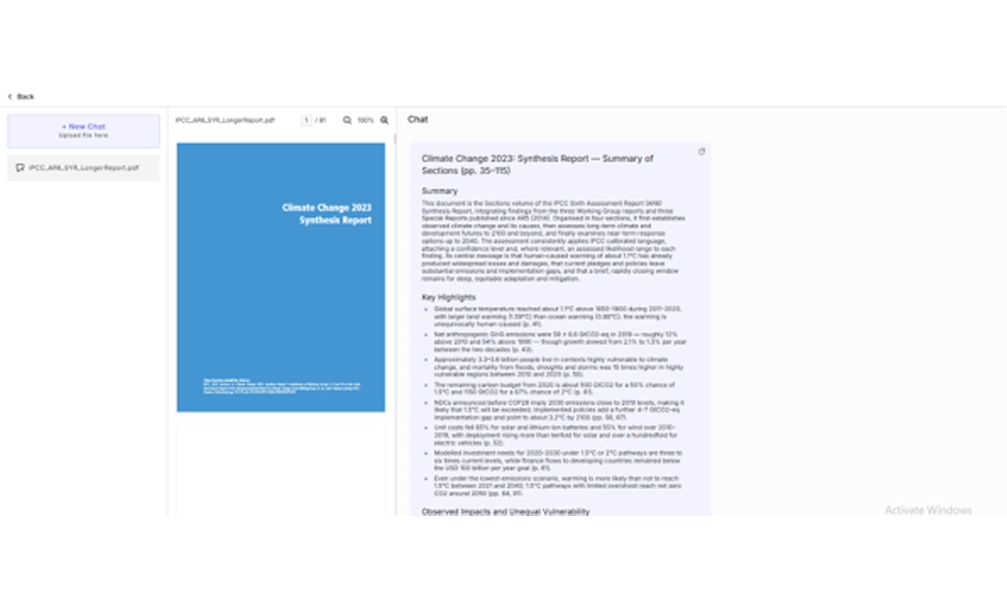
In our example, the uploaded file was the IPCC Synthesis Report. The generated output began with an overview of the report’s scope, then organized the material into key highlights and topic-based sections. That structure made it easier to scan the central message before digging into the supporting details.
Step 2: Turn the generated summary into a reading map
The generated summary for the report was titled “Climate Change 2023: Synthesis Report — Summary of Sections (pp. 35–115).” It opened by explaining that the report integrates findings from the IPCC’s three Working Groups and three Special Reports, then outlined the document’s progression: observed climate change and its causes, long-term climate and development futures, and near-term response options through 2040.
The output also noted that the report uses calibrated confidence language and, where relevant, assessed likelihood ranges. That detail matters: technical reports often distinguish between what is observed, what is projected, and how confident researchers are in a finding. A good set of reading notes should preserve those distinctions rather than flattening every statement into an equally certain claim.
The summary then grouped major findings into scannable highlights. For example, it surfaced the following points, with page references included in the generated output:
- Observed warming: global surface temperature was about 1.1°C above the 1850–1900 level during 2011–2020; the summary also distinguished land warming from ocean warming (p. 41).
- Emissions: net anthropogenic greenhouse-gas emissions were estimated at 59 ± 6.6 GtCO₂-eq in 2019, higher than in 2010 and 1990 (p. 43).
- Unequal vulnerability: approximately 3.3–3.6 billion people were described as living in contexts highly vulnerable to climate change; the summary also highlighted disproportionate disaster mortality in highly vulnerable regions (p. 50).
- Carbon budgets: the generated notes listed remaining carbon-budget estimates associated with different probabilities of limiting warming to 1.5°C or 2°C (p. 81).
- Policy gaps: the summary compared emissions implied by pre-COP26 national pledges with the gap between pledges and implemented policies, and noted a projected warming level by 2100 under the policies assessed (pp. 56, 67).
- Technology trends: it highlighted reductions in the costs of solar, lithium-ion batteries, and wind, alongside substantial growth in deployment (p. 52).
- Investment and pathways: it noted that modelled investment needs for 2020–2030 are several times current levels, and that pathways limiting warming to 1.5°C with limited overshoot reach net-zero CO₂ around mid-century (pp. 61, 84, 91).
- Urgency: the report concludes that further delay risks missing a brief and rapidly closing window to secure a liveable, sustainable future for all (p. 88).
These points are useful as a navigation map: they show which topics and figures may deserve attention. They should not be treated as independently verified facts just because they appear in a polished summary. Before using a number in an article, presentation, or report, open the cited page in the original IPCC document and check the wording, units, time period, and qualifications.
Step 3: Verify the details before relying on them
The most reliable workflow is to use AI to locate what matters, then use the source to confirm it. Page references can save time, but page numbering may differ between a PDF viewer, a report’s printed pagination, and a summary’s own page range. Treat references as helpful signposts and confirm the relevant passage in the source itself.
A quick verification checklist:
- Check the original sentence and its surrounding paragraph, not only the extracted number.
- Confirm units, dates, baselines, probability levels, and whether a value is observed, estimated, or projected.
- Keep qualifiers such as “likely,” “more likely than not,” and stated confidence levels when they affect the meaning.
- Compare scenario-based projections with the scenario assumptions; do not present them as unconditional predictions.
- Record the source page or section alongside your own notes so you can retrace the evidence later.
For the IPCC example, that means checking the original discussion before quoting a carbon-budget estimate or a projected warming figure. It also means retaining the report’s distinction between emissions pledges, policies actually implemented, and modelled pathways.
Step 4: Organize the summary into notes you can use
A generated summary becomes more useful when you reshape it around the task at hand. For a research assignment, you might organize notes under “main argument,” “key evidence,” “risks and limitations,” and “questions to investigate.” For a briefing, you might separate headline findings from implications and follow-up actions.
The IPCC summary suggests a practical note structure:
- Main message: human-caused warming is already affecting people and ecosystems, while current action leaves substantial mitigation and adaptation challenges.
- Evidence to verify: warming measurements, emissions estimates, vulnerability figures, carbon-budget estimates, and technology-cost trends.
- Policy and scenario context: differences between stated pledges, implemented policies, and modelled emissions pathways.
- Questions for deeper reading: which regions or groups face the greatest risks, what assumptions shape the scenarios, and which conclusions carry important uncertainty.
This approach avoids copying the entire AI output into a final document. Instead, use it to decide what to read closely, then write your own notes with clear references to the original report.
Where iBoomto fits into a broader document workflow
The online summarizer is a straightforward place to start when you want a quick overview of one PDF. The wider iBoomto product is designed for document workflows that may involve more than a single summary. If you regularly work with several PDFs, scanned documents, or a larger set of files, the Windows app can support more involved workflows, including multi-document work and OCR-related use cases.
The right approach depends on the document and your needs. For a short, searchable PDF, an online summary may be enough to get oriented. For scanned pages, check whether OCR is needed to make the text accessible. For comparisons across several documents, a desktop workflow can be more convenient than processing each file separately.
Explore iBoomto to learn more about the broader document-AI workflow.The Windows app supports both online AI services and compatible local models. With a local model, you may avoid per-token API charges and provider-imposed API token quotas, although processing still depends on your computer’s hardware, available memory, and the model’s context limits. Review the product’s current privacy information and settings to understand how a particular workflow handles your files.
A useful first pass—not a substitute for reading critically
AI summarization is most valuable when it reduces the friction of getting started. In this example, uploading the IPCC report produced an organized overview, highlighted important figures, and provided page references that can guide a closer reading. That is a practical way to approach a long, information-dense document without pretending that a summary captures every nuance.
The essential habit is simple: summarize first, verify second, and cite the original source when you use the information. Use the generated notes to prioritize your reading, check important claims against the report, and keep uncertainty and context intact.
To try the same workflow with your own document, visit the iBoomto AI PDF summarizer. Upload a PDF to generate a structured summary automatically, then use it as a starting point for careful, source-based reading.