Creating convincing character animation once required motion-capture equipment, carefully built rigs, keyframe expertise, and hours of cleanup. Even a short dance, gesture, or cinematic movement could become a demanding production task.
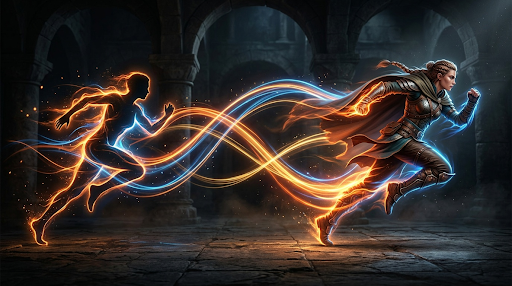
Motion transfer AI changes that workflow. Instead of animating every movement manually, you can provide a character image and a reference video. The AI studies the performance in the video, then applies its timing, poses, gestures, and body movement to the character.
This approach makes controlled animation accessible to social media creators, marketers, filmmakers, educators, and independent artists. You begin with movement that already exists, so the result can follow a much clearer creative direction than animation generated from a vague text prompt.
What Is Motion Transfer AI?
Motion transfer AI is a form of image-to-video generation that uses an existing video as a movement reference. The source video supplies the action, while the uploaded image defines the character’s appearance.
A practical motion transfer AI workflow can turn a static character image into a moving performance without requiring a motion-capture suit or a manually prepared animation rig. The reference might show a dancer completing a short routine, a presenter making natural hand gestures, or an actor performing a simple reaction.
The system analyzes visible information such as body position, movement timing, direction, and camera framing. It then retargets that performance while attempting to preserve the face, clothing, proportions, colors, and overall identity of the character image.
This is different from basic text-to-video generation. A prompt such as “make the character dance energetically” leaves much of the choreography to the model. Motion transfer AI gives the model a concrete performance to follow, providing greater control over what happens and when it happens.
Why Motion Transfer AI Matters for Creators
The main advantage is creative control. When movement comes from a reference video, you can preview the timing and choreography before generating anything. You are not asking the system to invent an entire performance from a short sentence.
Motion transfer AI also reduces technical barriers. Creators can experiment with character movement without learning skeleton rigging, frame-by-frame animation, or professional compositing. The process is especially useful during early concept development, when speed matters more than building a complete production pipeline.
Consistency is another important factor. A useful motion transfer AI tool should keep the character recognizable throughout the clip. Faces, costumes, body proportions, and illustration styles should remain reasonably stable even as the pose changes.
The workflow also supports rapid iteration. If the first result feels too fast, poorly framed, or visually unstable, you can adjust the character image or choose a cleaner reference video. Each generation becomes a focused creative test rather than a complete restart.
How to Use Motion Transfer AI: A Simple Workflow
The basic process is straightforward, but thoughtful input preparation can significantly improve the result.
Step 1: Choose a Clear Character Image
Start with an image that shows the character clearly. For full-body movement, use a full-body or three-quarter composition with visible arms and legs. A tightly cropped portrait cannot provide enough visual information for a wide dance performance.
Simple poses usually work better than heavily twisted or partially hidden bodies. Make sure important limbs are not covered by props, furniture, dramatic shadows, or other characters.
The background should also support the intended movement. If the reference performer travels across the frame, give the character enough surrounding space. A crowded composition may make large movements harder to reproduce cleanly.
PNG, JPG, and WEBP images are common starting formats. Realistic people, illustrated characters, mascots, avatars, anime figures, and stylized 3D subjects can all be tested, provided you have permission to animate the material.
Step 2: Select a Suitable Reference Video
The reference video determines the movement, so clarity matters more than visual polish. Choose footage with one main performer, visible body positions, stable lighting, and limited obstruction.
Try to match the source performer’s framing to the character image. A front-facing character generally works best with a front-facing performance. Extreme differences in camera angle or body proportions can make motion retargeting less stable.
Begin with a short, simple action. A wave, turn, two-step dance, product gesture, or reaction is easier to evaluate than a long sequence containing jumps, spins, floor work, and rapid camera cuts.
Use footage you recorded, licensed, or otherwise have the right to use. Motion transfer AI should support original creation, authorized adaptation, and ethical experimentation—not impersonation or unauthorized reuse.
Step 3: Match the Composition to the Movement
Before generating, compare the first frame of the reference video with the character image. Look at the performer’s scale, starting pose, direction, and position in the frame.
If the reference begins with both arms visible, choose a character image with both arms visible. If the performer starts near the center, avoid placing the character at the extreme edge. Better alignment gives the model a cleaner starting relationship between appearance and motion.
Choose an aspect ratio based on the final destination. A 9:16 vertical frame suits TikTok, Shorts, and Reels. A 16:9 frame works well for YouTube, advertisements, and cinematic previews. A 1:1 frame can fit product pages and social carousels.
Step 4: Generate a First Motion Test
Treat the first result as a motion study. Check whether the overall choreography, body direction, and timing have transferred successfully before focusing on tiny details.
Watch the face, hands, clothing, and edges of the body. These areas can reveal identity drift or deformation during fast movement. Also check whether the virtual camera follows the reference in a way that supports the character.
If prompt-guided direction is available, keep the instruction concise. A useful example might be: “Preserve the character’s face and outfit, follow the reference choreography, use natural fabric movement, and maintain a stable medium-wide camera.”
The prompt should clarify appearance and presentation. It should not contradict the reference movement.
Step 5: Refine and Export
If the result is unstable, change one variable at a time. Try a cleaner reference clip, a more neutral starting pose, a wider character image, or a shorter motion segment. This makes it easier to understand which adjustment improves the output.
Use lower-resolution previews when testing ideas, then move to a higher-resolution export after the motion feels right. Motion Control AI supports common platform-oriented aspect ratios and offers 720p and 1080p options for suitable workflows.
Before publishing commercial work, review the service terms for your account and plan. Confirm that you own or have permission to use the character image, reference performance, music, voice, and other included material.
Practical Uses for Motion Transfer AI
Short-Form Social Content
Motion transfer AI can apply a recorded dance, reaction, or gesture sequence to a mascot, avatar, or original character. One movement reference can become the foundation for several visually distinct clips.
This is useful when a creator wants consistent character branding without recording or manually animating every variation.
Marketing and Product Campaigns
Brands can animate illustrated spokescharacters or mascots for announcements, product introductions, and seasonal campaigns. A simple reference performance gives the character intentional gestures instead of unpredictable movement.
Teams can also test several performances before committing to a longer advertisement or professional production.
Film Previsualization
Independent filmmakers can use motion transfer AI to explore blocking, character energy, and shot composition. A rough animated concept can communicate an idea more clearly than a static storyboard alone.
The result does not need to replace final animation. Its value may come from helping a team make earlier creative decisions.
Education and Virtual Presenters
Educators can animate authorized avatars for introductions, lesson summaries, or visual demonstrations. Natural hand and body movement can make a presentation feel more engaging than a motionless portrait.
Short, controlled gestures usually work best because they support the lesson without distracting from it.
Game Characters and VTuber Concepts
Game developers and VTuber creators can test how a character design responds to different performances. This can help evaluate proportions, costumes, personality, and movement style before investing in a complete rig.
Tips for Better Motion Transfer AI Results
- Match the starting poses: Similar body positions give the system a stronger foundation for transferring movement.
- Keep the performer visible: Avoid references with cropped limbs, heavy motion blur, frequent cuts, or objects blocking the body.
- Start with shorter clips: A short motion test makes problems easier to identify and reduces the chance of identity drift.
- Respect physical limits: Extremely fast spins or complex floor movement can be difficult for a character image with limited pose information.
- Use platform-ready framing: Select the aspect ratio before generation instead of cropping important movement afterward.
- Protect character identity: Use clear facial details, recognizable clothing, and a consistent visual style in the source image.
- Iterate deliberately: Change one input or setting at a time so you can identify what actually improves the animation.
Common Mistakes to Avoid
A common mistake is pairing a portrait with a full-body reference performance. The system cannot reliably reconstruct body details that are missing from the image. Use a wider source image whenever the movement depends on visible legs, feet, or extended arms.
Another mistake is choosing a reference video because it looks impressive rather than because it is readable. Rapid editing, dramatic camera shake, crowds, and poor lighting can make movement extraction more difficult.
Creators may also expect the first generation to be publication-ready. Motion transfer AI is an iterative medium. A strong result often comes from improving the alignment between the character image, reference video, framing, and motion complexity.
Finally, avoid using images or performances without authorization. Technical accessibility does not remove creative ownership, privacy, or consent responsibilities.
Final Thoughts
Motion transfer AI provides a practical bridge between static character design and controlled video animation. It replaces much of the manual setup with a simpler process: choose a character, provide a performance, evaluate the result, and refine it.
The strongest results still depend on creative judgment. Clear images, readable reference footage, compatible compositions, and deliberate iteration matter as much as the underlying model.
For creators who want more control than an open-ended text prompt provides, motion transfer AI offers a compelling way to explore dances, gestures, presentations, cinematic ideas, and character-driven stories.