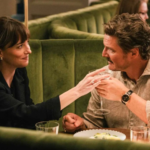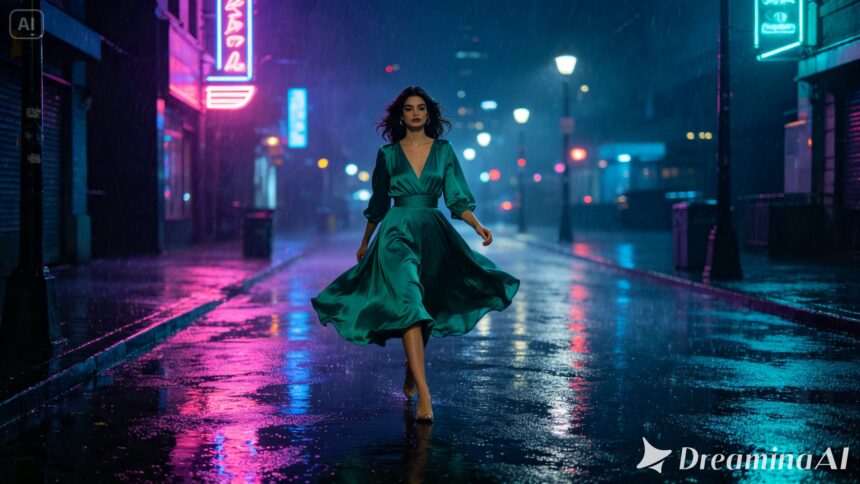
A fashion story is never just about clothes, it’s about who’s wearing them, where they’re going, and what mood the scene is trying to sell. Text to video tools can now carry that full story rather than showing a garment in isolation, and Dreamina’s Seedance 2.5 handles character, setting, and fabric together well enough that a fashion concept plays back like a scene from an actual campaign film.
Why fashion stories need more than a single garment shot
A campaign built entirely around a static product shot tends to feel flat next to one built around a story. Someone walking through a specific place, reacting to a specific moment, wearing that garment as part of a life rather than a display case. That narrative context is what a video prompt needs to feel like a story instead of a product photo with motion added.
Choosing the scene that carries the story
A fashion story doesn’t need an elaborate plot, just one clear moment that reveals both the character and the clothing at once. A few kinds of scenes tend to work particularly well.
-
A character walking confidently through an environment that suits the garment’s mood
-
A quiet pause where fabric and lighting get room to be appreciated
-
A small interaction, a glance, a turn, that hints at a larger story
Pick the scene that reveals something about the person wearing the garment, not just the garment itself sitting on a mannequin.
Fashion story highlights for Seedance 2.5
Seedance 2.5 was engineered to render fashion narratives with character and fabric working in sync rather than as separate elements layered together.
Character motion synced to garment movement
The model keeps a character’s stride and a garment’s sway working together naturally, so fabric responds to the body’s actual motion rather than moving independently or lagging behind it.
Expressive detail in facial performance
Small shifts in expression, a glance, a slight smile, a moment of hesitation, come through clearly even in a short clip, giving a fashion story real emotional texture instead of a blank, posed look.
Environmental integration with wardrobe
Rain, wind, and reflected light interact with clothing convincingly, so a coat gets genuinely damp in the rain and a scarf actually moves with a passing gust rather than sitting static against the scene around it.
Extended duration for full narrative arcs
Ultra-long video generation runs up to 180 seconds, enough room to build a small story around a look rather than settling for a single, isolated moment with nothing before or after it.
What makes a fashion story prompt actually land
A flat prompt just describes an outfit and a backdrop. A prompt that lands describes the character’s mood and movement alongside the clothing, confident stride, hesitant glance, a coat pulled tighter against the wind. That emotional detail turns a garment shot into a story someone wants to keep watching.
Your three-step path from idea to finished scene
Step 1: Enter your prompt and add a reference if you have one
Open Dreamina and head to the AI Video section. If you have a sketch or reference photo of the look, upload it through “Add reference image” to anchor the scene. Working purely from text to video, skip that and describe the full scene instead.
Here’s an idea for a clip: A woman in a flowing emerald green dress walking slowly down a narrow city street at night, rain falling steadily around her, neon signs reflecting in puddles beneath her feet, fabric swaying with each step, the camera tracking alongside at a low angle before rising to her face as she glances back over her shoulder.
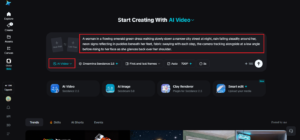
Step 2: Choose Seedance 2.5 and generate
Select Seedance 2.5 once your prompt is ready, since it handles character motion and fabric together well. Pick a length that fits the scene, then an aspect ratio, 9:16 for social content, 16:9 for a full campaign film. Generate and give it a few seconds to render.
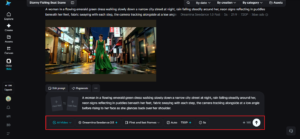
Step 3: Refine the story and export
Once the clip comes back, check that both the character’s mood and the garment’s movement feel convincing together. Upscale sharpens texture in fabric and setting alike, and Generate soundtrack can add a fitting score underneath. Export once it’s ready for a lookbook or campaign.
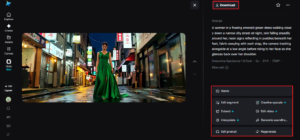
Choosing settings that elevate the story
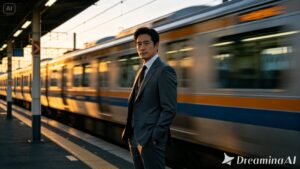
The setting does as much storytelling work as the garment itself. A train platform suggests movement and departure, a quiet street suggests introspection, a crowded market suggests energy. Choosing a location that echoes the emotional tone of the piece, rather than a neutral backdrop, gives Seedance 2.5 a richer scene to build the whole story around.
Where these fashion story clips are already being used
These clips have moved well past traditional runway or lookbook formats. Independent designers use them to build a full campaign without hiring a production crew, brands use them for social content that tells a story rather than just showing a product, and stylists use early renders to pitch a concept before a real shoot ever happens. A fashion idea that used to require a full team can now be visualized as a complete story, and thanks to Seedance 2.5, it looks considered enough to guide a real creative direction.
Turning a fashion concept into a cinematic story used to mean a full crew, a location, and a real production budget. With Dreamina and the character-aware precision of Seedance 2.5, that story can be built from a written idea, giving a garment the kind of narrative context that used to require an entire campaign to achieve.