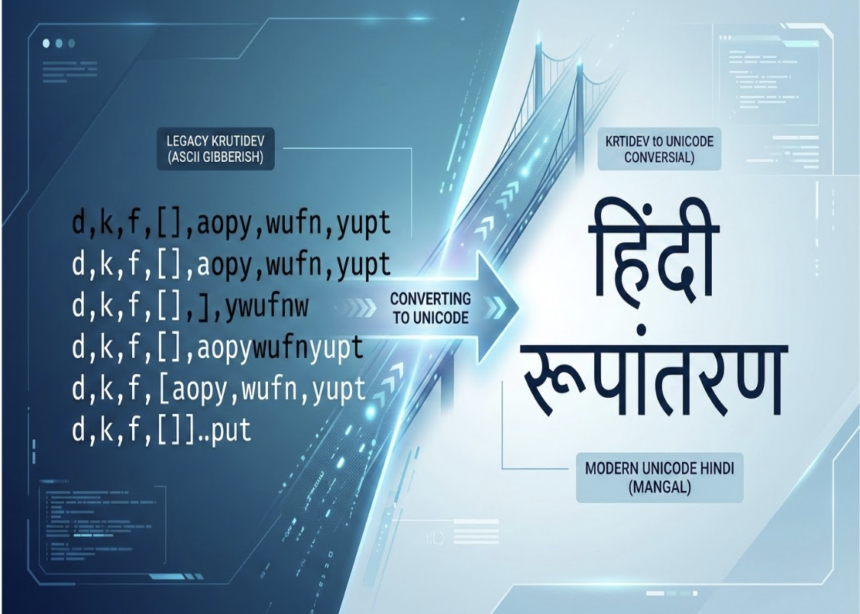
Introduction: The Problem Every Hindi Typist Faces
You have spent hours typing a Hindi document in KrutiDev. It looks perfect on your screen. You copy it, paste it into WhatsApp, an email, or a government portal and suddenly everything turns into a meaningless string of random English letters. Your carefully typed Hindi has vanished.
This is not a glitch. It is the single most common frustration faced by millions of Hindi typists, government clerks, CPCT aspirants, and digital content creators across India every single day. And the solution is simpler than most people realise: converting KrutiDev text to Unicode.
This guide explains everything — why the problem exists, how the conversion works, who needs it, and how to do it instantly using the best available tool.
What Is KrutiDev and Why Does It Break Online?
KrutiDev is a legacy Devanagari font system developed in the late 1990s. It was designed as a workaround for computers that could not natively support Hindi script. Instead of storing actual Hindi characters, KrutiDev stores regular English ASCII codes and relies on the font file to visually map those codes to Devanagari glyphs on screen.
In simple terms: KrutiDev is a disguise. Your computer thinks it is storing English text. The font file is what makes it look like Hindi. The moment you remove the font by sharing the text somewhere that does not have KrutiDev installed the disguise falls apart and you see the raw English codes underneath.
This is precisely why KrutiDev text breaks on:
- WhatsApp and messaging apps — they use Unicode, not KrutiDev
- Websites and CMS platforms — all modern web standards are Unicode-based
- Government online portals — built on Unicode infrastructure
- Email clients — Gmail, Outlook, and others use Unicode rendering
- Social media — Facebook, Twitter/X, Instagram all run on Unicode
- Google Search — cannot index KrutiDev text at all, treating it as English gibberish
The only permanent fix is converting the text to Unicode — the global standard that stores actual Hindi characters, readable anywhere without any font installation.
What Is Unicode and Why Is It the Solution?
Unicode is an international encoding standard that assigns a unique, permanent code point to every character in every language on earth. For Hindi, this means every Devanagari letter, matra, half-character, and conjunct consonant has its own specific code that any device, browser, or application recognises natively.
When your Hindi text is in Unicode:
- It displays correctly on every phone, tablet, and computer without any font installed
- Google can read, index, and rank it as actual Hindi content
- It can be shared on WhatsApp, pasted into emails, and submitted to portals without breaking
- It works in all modern operating systems including Windows, macOS, Android, and iOS
- It is future-proof — Unicode is maintained by an international consortium and is the permanent standard
The most widely used Unicode Hindi font is Mangal, which comes pre-installed on Windows. However, once text is in Unicode encoding, it can be displayed in any Devanagari Unicode font Noto Sans Devanagari, Lohit Devanagari, or any other without conversion.
Who Needs KrutiDev to Unicode Conversion?
The need for reliable conversion spans a surprisingly wide range of professionals and students:
CPCT and Government Exam Aspirants Candidates preparing for CPCT (Computer Proficiency Certification Test) in Madhya Pradesh type in KrutiDev 010 during the exam. However, when practising online, sharing work with coaches, or submitting assignments to digital portals, they need Unicode output. A real-time converter with a built-in word counter is essential for this group.
Government Clerks and Office Staff State government employees across MP, Rajasthan, UP, and Bihar regularly receive KrutiDev documents that need to be submitted through online portals or shared via email. Manual retyping is time-consuming and error-prone. Conversion takes seconds.
Hindi Journalists and Content Writers Regional newspapers and news portals that historically used KrutiDev for print are now publishing digitally. Archived articles and press releases in KrutiDev need conversion before they can go online and be indexed by search engines.
Legal Professionals Courts and legal offices in Northern India have decades of filings in KrutiDev. As judicial systems modernise and adopt digital record-keeping, these documents require accurate conversion without altering any word or meaning.
Hindi Teachers and Students Educational institutions that used KrutiDev-based materials now need to share content through digital learning management systems, all of which require Unicode input.
DTP and Print Professionals Transitioning to Digital Desktop publishing operators who built their careers on KrutiDev are increasingly asked to produce digital content. Conversion bridges their existing skills with modern output requirements.
How KrutiDev to Unicode Conversion Works
At its core, the conversion process involves replacing each KrutiDev ASCII code with the correct Unicode Devanagari code point it was designed to represent visually.
This sounds straightforward, but it is actually technically complex. KrutiDev does not store characters in the logical order they are spoken or written. Because of how the Remington keyboard layout physically maps keys to glyphs, many characters are stored in a different sequence from how they appear visually. Half-characters, matras, and conjuncts are especially tricky — the font renders them in the correct visual position, but the underlying data stores them in a typist’s keystroke order, which may be different.
A reliable converter must:
- Read the raw ASCII codes from the KrutiDev input
- Identify the correct character or character sequence each code represents in Devanagari
- Reorder characters where necessary (e.g., vowel matras that appear before their consonant in Unicode but after in KrutiDev storage)
- Handle conjunct consonants like क्ष, त्र, and ज्ञ accurately
- Preserve all spacing, punctuation, and line breaks from the original
Poor converters skip steps 3–5, producing output with missing matras, incorrect conjuncts, or broken formatting. This is why choosing the right conversion tool matters enormously, especially for official documents and exam submissions.
The Best Tool: krutidev-to-unicode.com
For anyone who needs fast, accurate, and private conversion, the KrutiDev to Unicode converter at krutidev-to-unicode.com is the most capable free tool available in 2026.
Here is what sets it apart from generic online converters:
Instant Auto-Conversion No Button Required Most converters make you paste your text and click a “Convert” button. This tool converts automatically as you type or paste the Unicode output appears in real time with zero delay.
Real-Time Word and Character Counter Built specifically for CPCT exam candidates, the live counter tracks your word count and character count simultaneously as you type. This eliminates the need for a separate counting tool during practice sessions.
Bidirectional Conversion The same platform handles both KrutiDev to Unicode and Unicode to KrutiDev conversion on a single page. Government workers who sometimes need to produce KrutiDev output from Unicode source documents are fully covered.
DOCX Import and Export You can upload an entire Word document (.docx) in KrutiDev format and download it back as a Unicode .docx file — all formatting preserved. This is critical for professionals converting large archived documents.
100% Private — No Server Upload All processing happens directly in your browser using JavaScript. Your text never leaves your device, never touches a server, and is never logged. This is essential when working with sensitive government documents or legal filings.
One-Tap WhatsApp Sharing After conversion, you can send the Unicode output directly to WhatsApp with a single click ideal for sharing practice passages or official text with colleagues.
Full Accuracy for KrutiDev 010 The converter is rigorously tested against the KrutiDev 010 character set, including all matras, half-characters, and the most problematic conjunct consonants. It is the same accuracy standard required for CPCT and MP Vyapam examinations.
Step-by-Step: How to Convert KrutiDev to Unicode in Seconds
- Open krutidev-to-unicode.com in any browser on your phone or computer.
- Make sure the KrutiDev → Unicode tab is selected (it is the default).
- Paste or type your KrutiDev text into the left-hand input box.
- The Unicode output appears instantly in the right-hand box no button needed.
- Click Copy to copy the Unicode text, or use Export Word to download it as a .docx file.
- Optionally, tap WhatsApp to share directly.
The entire process takes under 10 seconds for most documents.
Converting Unicode Back to KrutiDev
Sometimes the need runs in the opposite direction. A government office running legacy software may require KrutiDev input even when your source document is in Unicode. The same platform handles this seamlessly.
Switch to the Unicode → KrutiDev tab, paste your Unicode Hindi text, and receive accurate KrutiDev output instantly. This is particularly useful for:
- Submitting content to older government portals that only accept KrutiDev
- Working with legacy DTP software that requires KrutiDev input
- Creating practice material from Unicode source texts for KrutiDev typing training
Tips for Getting the Best Conversion Results
Always use KrutiDev 010 specifically. The converter is optimised for KrutiDev 010, the standard used in CPCT and government examinations. Other KrutiDev variants (016, 040, etc.) may produce slightly different results.
For scanned documents, use OCR first. If your KrutiDev text comes from a scanned image or PDF, you need to run optical character recognition (OCR) before conversion. The converter processes text, not images.
Check conjuncts after conversion. Complex conjunct consonants like क्ष, त्र, and ज्ञ are the most challenging to convert accurately. Always spot-check these in converted official documents before submission.
Do not manually change fonts in Word. A very common mistake is selecting all text in a KrutiDev Word document and changing the font to Mangal. This does not convert the encoding it just applies a different visual style to the same ASCII codes, producing wrong or missing characters. Always use a proper conversion tool.
Frequently Asked Questions
Does converting KrutiDev to Unicode change the meaning of the text? No. The conversion changes only the encoding — the underlying data representation. Every Hindi word, sentence, and meaning remains exactly the same. The text simply becomes readable on modern platforms.
Is the converter free to use? Yes, completely free with no character limits, no registration, and no hidden fees. You can convert documents of any length, as many times as you need.
Does it work on mobile? Yes. The tool is fully optimised for Android and iOS and works in all major mobile browsers including Chrome, Firefox, and Safari.
Can I convert multiple documents at once? You can import and export .docx files individually. For bulk batch conversion of many files, the tool handles large documents efficiently most files of 10,000+ words convert in under 2 seconds.
Conclusion
The gap between KrutiDev and Unicode is not going to close on its own. For the foreseeable future, India’s Hindi typing ecosystem will require professionals to work fluently in both worlds KrutiDev for examinations and legacy systems, Unicode for everything that needs to function online.
Mastering the conversion between these two formats is no longer optional for anyone working seriously with Hindi text. Whether you are a CPCT aspirant building your exam speed, a government clerk digitising office records, a journalist publishing archived content online, or a legal professional modernising case files a fast, accurate, private KrutiDev to Unicode converter is one of the most valuable tools in your workflow.
The good news: it is free, instant, and available right now at krutidev-to-unicode.com.