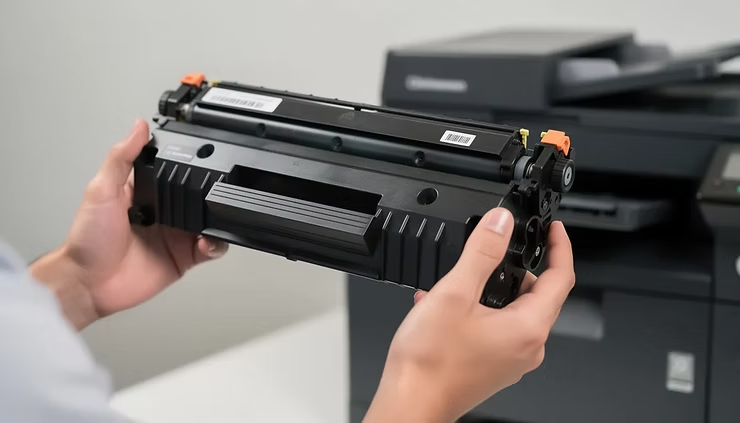
Running out of toner in the middle of an important print job is never fun. But replacing a cartridge too soon can waste money too.
Whether you use an OEM cartridge or compatible toner cartridges, knowing when your printer toner is actually running low can help you avoid both problems.
The signs are usually easy to spot. Your printer may show a low-toner warning, or your pages may start looking faded, streaky, or uneven.
The trick is knowing when the warning means “replace it now” and when you can keep printing for a little longer.
Quick Answer: When Should You Replace Printer Toner?
You should replace your toner cartridge when it is empty or when your prints stay faded, streaky, or hard to read after basic troubleshooting.
A “Toner Low” message does not always mean you need a new cartridge right away. If your pages still look clear, you can often keep printing while getting a replacement ready.
For businesses, this simple approach can help avoid unnecessary cartridge changes and last-minute printing problems.
How Do You Know When Printer Toner Is Running Low?
Your printer can usually give you a warning before the toner runs out. But your printed pages can also tell you a lot.
Most laser printers show messages such as:
- Toner Low
- Low Toner
- Replace Toner
- Toner Empty
The exact message depends on your printer model.
Keep in mind that these warnings are estimates. They do not always tell you exactly how much toner is left.
That is why it is a good idea to look at the print quality too.
Faded or Light Text
Faded text is one of the easiest signs to notice.
Black text may start looking gray instead of dark black. Large areas of black may also look lighter than usual.
Print the same page again. If it still looks light, your cartridge may be getting close to the end of its life.
White Streaks or Missing Areas
Are you seeing white lines across your pages?
This can happen when the remaining toner is not spreading evenly inside the cartridge.
But do not replace the cartridge automatically.
A worn drum or another printer part can cause the same problem. If the problem continues after changing the cartridge, the printer itself may need to be checked.
Uneven Printing
Sometimes the page looks darker in one area and lighter in another.
You may also notice that some letters look darker than others or that large black areas are not printed evenly.
If this keeps happening, check your cartridge and printer settings before assuming that low toner is the only problem.
Does “Toner Low” Mean You Need a New Cartridge?
Not always.
A “Toner Low” message usually means the printer thinks the cartridge is getting close to the end of its expected life.
If your documents still look clean and easy to read, you may be able to keep using the cartridge.
For an office, though, it is smart to have a replacement ready.
You do not want to discover that the toner is empty right before printing invoices, reports, shipping documents, or customer paperwork.
Think of the warning as a heads-up, not always an emergency.
How Long Does a Toner Cartridge Last?
There is no single answer.
How long a toner cartridge lasts depends on what you print and how often you print it.
Most manufacturers give their cartridges an estimated page yield. This tells you roughly how many pages the cartridge is designed to print under standard testing conditions.
Your actual number can be different.
For example, a page with a few lines of text uses much less toner than a page filled with large images or heavy black areas.
Your toner life can also depend on:
- Printer model
- Cartridge type
- Print settings
- Document type
- How often you print
- Amount of black or color on each page
So, treat page yield as a guide, not an exact number.
Can You Keep Printing After the Low-Toner Warning?
In many cases, yes.
Some printers let you keep printing after the low-toner warning appears.
If the pages still look good, there is usually no reason to throw away a cartridge that still produces usable prints.
But do not push it too far.
If the text becomes very light or important details start disappearing, replace the cartridge.
This matters even more for business documents. A slightly faded internal draft may be fine. A faded invoice or customer document is another story.
Is Low Toner Always the Problem?
No.
This is easy to overlook.
Poor print quality does not always mean you need a new toner cartridge.
Other printer parts can cause similar problems, including the:
- Drum
- Fuser
- Rollers
- Transfer components
Paper and printer settings can also affect the final result.
For example, repeating marks on every page may point to a drum or imaging problem rather than low toner.
So before buying a new cartridge, check your printer’s troubleshooting guide.
If a new cartridge does not fix the problem, the printer may need service.
Should You Shake a Toner Cartridge?
You may have heard that gently shaking a toner cartridge can help it print a little longer.
Sometimes it can.
If the printer manufacturer recommends this step, gently moving the cartridge from side to side can help spread the remaining toner more evenly.
But there is an important catch:
Shaking the cartridge does not create more toner.
It only moves around the toner that is already inside.
If the cartridge is truly empty, it needs to be replaced.
Always follow the instructions for your specific printer. Never open, puncture, or force a toner cartridge.
How Can You Make Toner Last Longer?
A few simple habits can help you get more from your cartridge.
Use Eco or Toner Save Mode
Many printers have an Eco, Draft, or Toner Save setting.
These modes can be useful for internal documents, drafts, and other pages where maximum print quality is not necessary.
For important customer-facing documents, use the quality setting that gives you the result you need.
Preview Before You Print
Always take a quick look at the document before pressing Print.
You may catch:
- Blank pages
- Wrong page ranges
- Formatting mistakes
- Pages you do not actually need
That quick check can save both toner and paper.
Use Black and White When Possible
If a document does not need color, print it in black and white.
This can help reduce the use of color cartridges and keep printing costs under control.
Use Duplex Printing
Duplex printing means printing on both sides of the paper.
It is mainly a way to save paper, but it can also make long office documents more efficient to print and manage.
Are Compatible Toner Cartridges a Good Option?
When your toner needs replacing, you do not always have to buy the most expensive option.
Compatible toner cartridges are made by third-party manufacturers for specific printer models.
For many businesses, they can be a practical way to reduce printing costs.
But quality matters.
If you are looking for a premium compatible laser toner cartridge, do not choose one based on price alone.
Check the:
- Exact printer model
- Cartridge number
- Page yield
- Print quality
- Supplier reputation
- Warranty
- Return policy
- Customer support
A cartridge that costs a little more but gives you consistent prints can be a better deal than a very cheap cartridge that causes problems.
A Simple Test for Compatible Toner
If you are thinking about switching to compatible toner, you can make the decision easier with a simple comparison.
Print the same document with your current cartridge and the compatible cartridge.
Then compare the results.
Check the text
Is small text sharp and easy to read?
Check the black areas
Do large black sections look dark and even?
Check the overall page
Does the page look clean from top to bottom?
Check the page yield
How many useful pages do you get compared with the stated yield?
Check reliability
Does the cartridge work normally without repeated errors or other obvious problems?
This gives you a much better idea of cartridge quality than simply looking at the price.
For an office, the best cartridge is not necessarily the cheapest one. It is the one that gives you good print quality, reliable performance, and a reasonable cost per usable page.
What About HP, Canon, and Brother Toner?
Compatible toner is available for many popular printer brands.
For example, businesses may need Brother compatible toner cartridges for their Brother laser printers or a Canon printer toner cartridge for a Canon laser printer.
HP also has a large range of printer cartridges. Just remember that an HP ink cartridge is not the same as an HP toner cartridge.
An HP ink cartridge contains liquid ink and is used in an inkjet printer.
A toner cartridge contains powdered toner and is used in a laser printer.
Always check your exact printer model and cartridge number before ordering.
When Should a Business Keep Spare Toner?
If your office prints every day, keeping a spare cartridge is a simple way to avoid trouble.
You do not need to install it as soon as you see the low-toner warning.
Instead, use the warning as a reminder to check your stock and order a replacement if needed.
This is especially useful for printers that handle:
- Invoices
- Shipping documents
- Reports
- Forms
- Customer paperwork
For high-volume printers, also consider your average weekly printing, cartridge yield, supplier delivery time, and whether you have another printer available.
A little planning can prevent a small toner problem from becoming a work stoppage.
Key Takeaways
- “Toner Low” does not always mean you need a new cartridge immediately.
- Faded text, white streaks, and uneven printing are common signs of low toner.
- A printer’s page-yield number is an estimate, not a guarantee.
- Poor print quality can also come from the drum, fuser, rollers, or other printer parts.
- Compatible toner cartridges can help businesses control printing costs.
- Look at quality, page yield, reliability, and warranty—not just price.
- A premium compatible laser toner cartridge should deliver consistent results for its intended printer model.
- Brother, Canon, and HP printers have compatible cartridge options, but the exact model matters.
- Keeping one spare cartridge can help businesses avoid unexpected printing downtime.
The Bottom Line
You do not need to replace printer toner the moment your printer shows a low-toner warning.
Instead, look at the warning and the quality of your printed pages. If your documents are still clear, you may be able to keep printing. If they become consistently faded, streaky, or difficult to read, it is probably time for a replacement.
If you are considering compatible toner cartridges, look beyond the price. Check the cartridge’s compatibility, print quality, expected yield, reliability, and supplier support.
For businesses, the right cartridge can help keep printing costs under control without making everyday documents look cheap or unclear.
Choose the right cartridge for your printer, compare quality and value, and keep a spare ready when printing is important to your business.
Frequently Asked Questions
Q1. How do I know when my printer needs more toner?
Look for a low-toner warning, faded text, white streaks, or uneven printing. If the problem continues, it may be time to replace the cartridge.
Q2. Can I keep printing when my printer says “Toner Low”?
Usually, yes. If your pages still look clear, you can often continue printing while keeping a replacement cartridge ready.
Q3. How long does printer toner last?
It depends on the cartridge, printer, and type of documents you print. Heavy graphics and large areas of black use more toner than simple text.
Q4. Why is my printer printing lightly even though the toner is not empty?
Low toner is one possible cause. The drum, fuser, printer settings, or another printer component may also be responsible.
Q5. Is compatible toner a good alternative to OEM toner?
A good-quality compatible toner cartridge can be a practical alternative for businesses looking to reduce printing costs. Check compatibility, page yield, quality, warranty, and supplier reputation before buying.