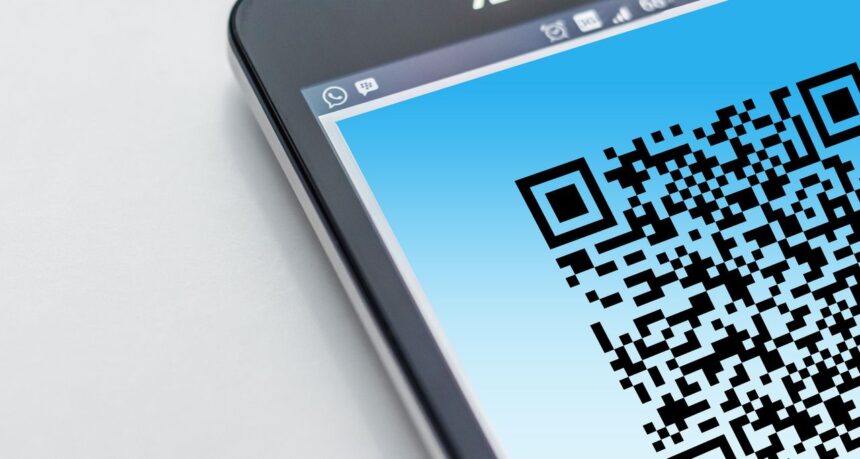
QR codes have become a common tool for business, education, events, and daily communication. The QR code generator converts a link, contact, file, map, or entry form into a compact image that can be scanned with a smartphone. The user immediately proceeds to the desired action, and the company shortens the path from printed material to digital service.
What a QR code generator can do and why it is useful
A QR code generator creates a symbol with encrypted data. It may be a website address, telephone number, e-mail, geographic coordinates, Wi-Fi connection, or access to the document. Scanning can open a website, start a call, show directions, or save contact information.
This format is quite convenient when time needs to be saved. At a café, users can open the menu; when buying goods, one receives the necessary instructions; when attending a conference, one accesses the event program without searching for it in the browser.
The QR code works on almost any modern mobile device without installing an additional app. This technology is widely used in business cards, packaging, postcards, banners, receipts, presentations, and displays. It is useful to put a caption near the QR code, for instance, “See the catalog” or “View the menu”. This explains to the user why they should scan the image.
How QR code generator code helps with links
Usually, the QR code generator code will link to a website, product page, sign-up form, video, PDF, or social network profile. Its main purpose lies in advertising in print media, where the link cannot be accessed by clicking.
Make sure that the page is smartphone-ready before you create the code. If it loads slowly or has a complex navigation structure, the user may leave the page immediately after scanning. It is best to lead the audience to a short page with one clear action.
A static code stores data directly in the image, so it cannot be changed after printing. It is suitable for permanent addresses and numbers. A dynamic version leads through a short redirect that can be updated. This is convenient for promotions, catalogs, and advertising campaigns.
When working with links, consider a few details:
- Check the code on different phones before printing, especially if you use a color design or a small format.
- Add a clear call to action so that the person immediately sees the benefit of scanning.
- Do not place the code on curved surfaces, in small print, or on a shiny background with glare.
- For complex materials, use an intermediate mobile page instead of a too-long direct link.
How the contact QR code generator simplifies contact sharing
A contact QR code generator transmits data without requiring manual entry of a phone number, email address, or company name. After scanning, a person can immediately save the information to their smartphone. This is useful for specialists who often meet with clients, partners, or participants of professional events.
The code can include the name, position, phone number, email, website, address, and links to messengers. It works well on business cards, badges, presentations, and commercial proposals. For a potential client, it is easier than manually rewriting data or searching for a specialist online.
The contact format helps to receive requests faster. A service professional can place the code on a vehicle, a real estate agent can add it to a printed property listing, and a photographer – in a portfolio. If contacts change, the static code must be updated. For a team, it is better to create separate options for each manager.
A logo or corporate elements can make the code recognizable, but they should not interfere with scanning. After creating a code, test it on several smartphone models.
Where to use code QR generator in business and everyday affairs
QR codes can connect to Wi-Fi, open a map, launch a message, lead to payment, show instructions, or download a document. One character replaces a long address and several steps in a browser.
In the service sector, it is used to book an appointment or open a messaging app. In trade, the code can lead to reviews, a warranty information, a catalog, or a loyalty program. At events, it helps with registration, navigation, and access to materials.
Practical examples of using QR codes:
- A restaurant can add a code for a menu, a table reservation, or a service rating.
- A product manufacturer can guide a buyer to instructional videos, warranty terms, or purchase registration.
- An event organizer can provide a ticket, a program, a location map, and a feedback form via code.
- A rental property owner can post Wi-Fi access, house rules, and support contacts.
- A charity can direct a person to a donation page or an initiative description.
Before mass deployment, test the code under real-world conditions. On matte paper, textured packaging, or under bright light, it may read differently than on a screen. The size should also correspond to the scanning distance.
How to evaluate the effectiveness of QR codes after launch
Creating a code is just the beginning. Dynamic solutions help track the number of scans, periods of activity, device types, and approximate locations od scans. This allows you to compare the effectiveness of flyers, packaging, stands, and other advertising media.
In addition to scanning metrics, the actions taken after the transition should also be analyzed. If users open a page but make no inquiries and do not buy anything, one should analyze the website’s speed, the offer itself, and the convenience of filling out the form.
The use of a code QR generator makes sense if it links to relevant information, opens fast, and leads to a clear action. Then it becomes a convenient connection between offline materials and digital services.