I remember the exact moment I realized my “free antivirus” wasn’t cutting it anymore. I was rushing to meet a deadline, trying to open an important document, and my computer just… froze. Completely locked up. A pop-up appeared demanding payment to unlock my files. Ransomware. On my machine. The one with all my client work, personal photos, and years of saved documents.
That sinking feeling in my stomach? I wouldn’t wish it on anyone.
The truth is, most of us install some free antivirus software, forget about it, and assume we’re safe. But here’s the uncomfortable reality: cyber threats have gotten sophisticated. Really sophisticated. We’re not just dealing with obvious viruses anymore. It’s stealthy spyware quietly logging your keystrokes. It’s phishing scams designed to look exactly like your bank’s login page. It’s tracking cookies following your every move across the internet. And ransomware? That’s everywhere now.
So what do you actually need to stay protected in 2026?
The Smart Way to Handle Malware Protection
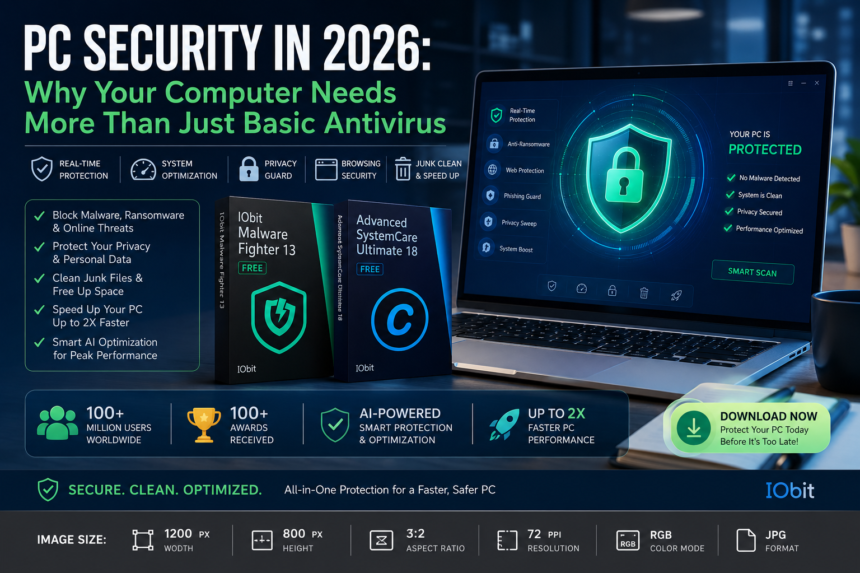
Let me share something that genuinely surprised me. I’ve been testing various security tools for the past few weeks, and one name kept rising to the top: IObit Malware Fighter 13. If you’ve been searching for reliable free malware removal that actually works, this is worth paying attention to.
Here’s why this one stood out to me. Most free antivirus tools do one thing: they scan your system when you remember to run them. That’s reactive protection. You’re basically waiting to get infected and hoping you catch it in time. IObit Malware Fighter takes a completely different approach. It runs in real-time, actively monitoring everything that tries to install or execute on your machine. It caught a suspicious download I attempted during testing before the file even finished downloading. That kind of proactive defense made me a believer.
What actually impressed me:
The dual-engine protection is the real deal. IObit combines their own anti-malware technology with Bitdefender’s battle-tested engine. And let’s be honest, Bitdefender is one of the heavy hitters in the security world. Having that integrated into a free tool is remarkable. It caught threats during my tests that other free scanners completely missed.
The privacy features also deserve a mention. I’m someone who cares about what traces I leave online, and IObit Malware Fighter lets you lock sensitive data in an encrypted safe box. There’s also this neat isolated environment where you can run suspicious apps safely without risking your actual system. If something turns out to be malicious, it’s contained. Your real system stays untouched.
The anti-ransomware engine is another standout. Ransomware is terrifying precisely because it encrypts your files before you even realize what’s happening. This tool actively monitors for ransomware behavior and stops it cold.
Browsing security is built right in too. You get phishing protection, homepage hijack prevention, ad blocking, and automatic tracking cookie cleanup. There’s even a Browser Password Guard that encrypts your local browser passwords and blocks unauthorized access. In a world where password breaches happen daily, that extra layer gives genuine peace of mind.
Here’s a quick tip: I suggest running a full scan when you first install it, then using Smart Scan for quick daily checks. It’s thorough without being intrusive.
When You Need More Than Just Malware Protection
Now, what if your computer is also running slow? What if you’re constantly running out of storage space and your system takes forever to boot up? That’s where Advanced SystemCare Ultimate 18 enters the picture.
Think of this as the all-in-one solution. If you’re looking for the best free antivirus software that also cleans and speeds up your PC, this is exactly what you need. It combines robust security with comprehensive system optimization, and honestly? It’s pretty impressive to watch in action.
Here’s what it actually does:
On the security side, you get that same Bitdefender-powered real-time protection. It scans, detects, and removes threats instantly. There’s a Safe Folder feature that protects your most sensitive files and documents against ransomware and unauthorized access. The constantly updated anti-virus database means it recognizes the latest threats, and the enlarged surfing protection database actively blocks malicious websites and phishing attempts before they can trick you.
But the optimization features? This is where the tool truly shines.
Your PC runs up to 2x faster after using it. It optimizes startup programs so your computer boots quicker. It automatically frees up memory when applications get too hungry for RAM. And the AI-powered deep cleaning? This part amazed me. It finds caches, temporary files, leftover junk, and invalid registry entries that you’d never find manually. I watched it clear over 3 GB of junk files from my system during testing, space I didn’t even know I was losing.
The new Junk File Clean goes deeper than previous versions, removing junk generated by Microsoft Store apps too. Startup Optimization now manages more startup items and services, which means noticeably faster boot times. And the Privacy Sweep is more thorough than ever, masking privacy traces across your applications and browsers.
Who is this for?
If your PC feels sluggish and you’re worried about security, this is the tool for you. It handles both problems simultaneously. I’ve recommended it to colleagues who aren’t particularly tech-savvy, and they’ve all reported their systems feeling significantly faster after running it.
One user told me: “Advanced SystemCare Ultimate is a powerful anti-virus and system optimization tool. Apart from protecting your PC from malware, viruses and similar threats, it can also boost your PC’s performance by applying various registry and shortcut fixes, removing junk files, scanning local disk volumes for system vulnerabilities, etc.”
Another reviewer mentioned their laptop runs 5x faster after the update, and they loved the new interface and features.
With over 100 million users and more than 100 awards, IObit has clearly established itself as a trusted name. Advanced SystemCare Ultimate 18 continues that tradition with a beautifully redesigned interface that makes complex maintenance tasks feel simple.
So Which One Should You Choose?
It really comes down to what you need most:
Choose IObit Malware Fighter 13 if you primarily want free malware removal and robust real-time protection without spending money. It’s lightweight, effective, and covers all the essential security bases. Perfect if you already have system maintenance tools and just need solid security.
Choose Advanced SystemCare Ultimate 18 if you’re looking for the best free antivirus software that also optimizes, cleans, and speeds up your system. It’s the comprehensive package, security and performance in one tool. Ideal if your PC feels slow and you want to address both issues at once.
Pro tip: Many users actually run both together. IObit Malware Fighter handles security while Advanced SystemCare Ultimate takes care of cleaning and optimization. They complement each other perfectly and work alongside your existing antivirus without conflicts
The Bottom Line
Here’s the truth: cyber threats aren’t going away. They’re evolving every single day. And most of us are walking around with outdated, ineffective protection wondering why our computers feel slow and vulnerable.
You don’t need to become a security expert to stay safe. You just need the right tools working silently in the background while you focus on what actually matters. IObit offers exactly that, powerful, accessible, and genuinely effective protection.
Your PC works hard for you. It stores your memories, your work, your personal information. Isn’t it time you gave it the protection it deserves? Download one of these tools today, run a scan, and see the difference for yourself.
Trust me, that sinking feeling of realizing your system is compromised? You don’t want to experience it. Protect yourself now, before it’s too late.