Two hundred guests. Hundreds of devices that might connect — if they actually join the network. That’s the math nobody runs before booking an event wifi rental, and it’s exactly why check-in lines stall, and mobile bidding freezes right when it matters most.
Most planners size their connectivity around headcount, not device count — and that’s the mistake. Guests may carry phones, watches, or laptops, and staff may have radios or tablets on hand, but not every device present will join your rental network. What matters is how many devices will actually connect and stay active at the same time — check-in tablets, payment terminals, bidding devices, and any guest or staff phones that are on the event Wi-Fi. Bandwidth scales with simultaneous active connections, not with bodies in the room.
Here’s what most people miss: a check-in tablet sipping small packets of data all night behaves nothing like a payment terminal firing off a burst transaction at 7:45 PM. Treat them the same and something’s going to choke. Getting the math right up front — device by device, use case by use case — is the difference between a network that holds and one that quietly falls apart mid-event.
Why guessing device counts wrecks check-in and mobile bidding
Picture a 500-guest gala: two check-in iPads, four mobile bidding tablets, a card reader at each of six bar stations, plus whatever guest or staff phones actually join the event Wi-Fi. The planner budgeted for 20 devices. The real number depends on how many of those phones connect and stay active — not on how many devices are simply in the room.
Count simultaneous active connections, and you get a clearer picture of load. That mismatch between planned and actual connections is exactly how a smooth event WiFi rental turns into a stalled paddle-raise and a check-in line backing up toward the parking lot.
The gap between guest count and connected devices
Don’t equate guest count with network load. Phones, watches, laptops, and staff radios in the room only matter if they join the rental network and stay active. Focus on devices that will actually connect at peak — check-in and POS gear first, then any guest or staff devices on the event Wi-Fi — and plan bandwidth for that simultaneous active count, not the headcount on the seating chart.
What actually eats bandwidth at a gala or festival
Card readers and check-in apps use very little data individually. The real drain on the event network comes from devices that are actually connected to it — guest phones streaming video or syncing photos on the event Wi-Fi, a photobooth uploading images, or a livestream feed.
A guest running their own cellular hotspot isn’t consuming the event’s internet bandwidth; that traffic rides their carrier. Those hotspots can still add RF congestion and interference on shared channels, though, so they can hurt Wi-Fi performance even when they don’t touch your bandwidth budget.
Plan guest traffic on the event network separately from operational traffic, and size equipment for the connection type and concurrent load you actually have — not a one-size device ceiling.
Matching your event wifi rental to real-world usage patterns
Not every device on your network deserves the same slice of bandwidth. Treat them all equally, and you’ll either overpay for a system you don’t need or underbuy and watch the whole thing choke at 7 PM. The smarter move: size your event wifi rental around what each device group actually does, not what it might theoretically do.
Check-in tablets and badge scanners: light, steady load
Registration devices sip data. A scanner pinging a small database or a check-in tablet syncing guest records tends to create a steady, low-stress load — not a flood. Still, bandwidth needs vary by platform and configuration, so check each check-in or registration system’s published network requirements and size (and test) for your actual setup rather than assuming a one-size-fits-all figure.
Mobile bidding and payment terminals: bursty, high-stakes load
Payment terminals and bidding apps behave differently.
They sit quiet, then hit hard — a paddle-raise moment or an auction close can spike dozens of devices at once. Check each payment platform’s published network requirements (Square, for example, publishes requirements for specific network configurations) and size the temporary internet backbone for how many terminals will be active at peak — then test under load. A dropped transaction here costs more than a slow photo upload ever will.
Streaming, livestreams, and guest Wi-Fi
Livestreams and open guest Wi-Fi are the real bandwidth hogs when those devices are on your network. A single HD stream can consume several Mbps on its own. Give guests their own SSID if you offer guest access, and keep it separate from the connection your POS and check-in systems need. And remember: a guest’s personal cellular hotspot doesn’t draw from your event internet — though the extra radio noise can still interfere with nearby Wi-Fi.
Portable hotspot vs. cradle router vs. satellite: picking the right connection for outdoor or remote sites
So how do you know which connection type your event actually needs? The honest answer depends on how many devices you’re running and whether there’s usable cell signal on-site at all — not on which option sounds the most impressive.
When a temporary wifi hotspot rental is enough
A single portable hotspot or an LTE-equipped tablet works fine for a handful of devices — think roaming staff, a scanner at one gate, or a backup connection sitting behind a stronger primary network. It’s cheap, fast to set up, and genuinely disposable if something goes wrong.
When a mesh or router-based system makes more sense
Once you’re past a dozen or so devices sharing one network — check-in stations, mobile bidding tablets, a POS line — a cradle router or small mesh system is usually the better call. Routers, mesh nodes, and the internet connection feeding them aren’t interchangeable: a mesh can improve coverage while the upstream link still limits throughput, and device capacity varies by hardware and configuration. Match the gear to concurrent active devices and to whether the venue’s house connection can be trusted — especially in a hotel ballroom or conference room.
When venue internet isn’t enough — or there’s none at all
Satellite internet (including Starlink) isn’t only for sites with no other option. Open fields, fairgrounds, and rural lots with weak or no cell signal are obvious fits — but so are venues whose house internet can’t keep up with check-in, POS, and guest load. Fello offers Starlink as primary or backup connectivity: an outdoor terminal with a clear view of the sky feeds an indoor network, so you get reliable bandwidth whether the venue link is missing or simply insufficient.
Setting up and testing your event wifi rental before doors open
Event connectivity failures often trace back to skipped testing windows, not equipment defects. That’s not a hardware problem. That’s a planning gap.
Running a speed and connection test on-site
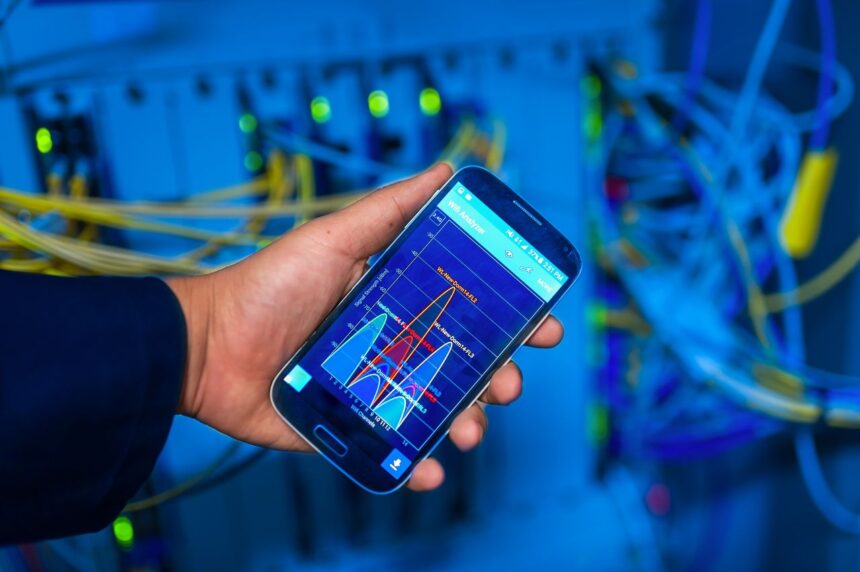
Run a full speed and connection test at least two hours before doors, not the morning of. Check the router placement, confirm the mesh nodes or extender units are actually talking to each other, and test from the far corners of the venue — not just the booth next to the access point. A quick spectrum check can catch interference from a neighboring hotspot or a competing wireless system before it becomes a mid-event problem.
Separating guest wifi from payment and check-in networks
Never put mobile POS devices and guest phones on the same network. Split them. Payment and check-in traffic needs a dedicated, password-protected connection isolated from the general guest network — this keeps a photo-happy crowd from choking bandwidth meant for card readers and scanners.
Password, login, and access planning for large guest counts
For anything over a few hundred attendees, plan login capacity like you’d plan restrooms — undersized and you’ll hear about it. Use a simple, printable password, stagger network names by zone if needed, and confirm the router’s device ceiling before signing off on the rental.
Bandwidth planning isn’t guesswork once you separate what’s actually pulling on the network. A check-in table sipping data all evening behaves nothing like a bidding terminal firing off bursts every few minutes — treat them the same and one of them loses. That’s how lines back up at 6:45, and paddle-raise payments stall right when it matters most.
The venue itself decides the rest. A ballroom with decent house internet might only need device-level backup. A parking lot, fairground, or indoor space with weak venue Wi-Fi may need a different plan — primary or backup connectivity that doesn’t depend solely on what’s already on-site. Matching the setup to the actual site, rather than defaulting to whatever worked last time, is what separates a smooth night from a scramble.
None of it matters without a real test before doors open — separate networks, a login plan for guest volume, and a walk-through under load. Planners who treat an event wifi rental as infrastructure to verify, not just equipment to plug in, are the ones who never think about their network again once the first guest scans in.