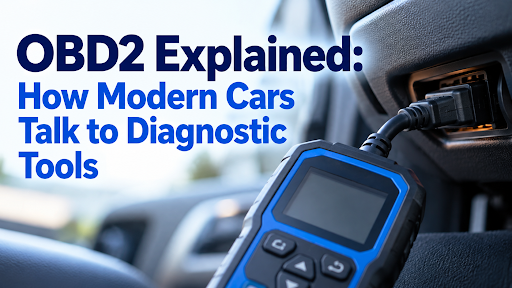
Ask two mechanics what they use to diagnose a car and you’ll often get two completely different answers. One goes for a small, handheld device that fits in a toolbox. The other opens a laptop, plugs in an interface, and works through a piece of software. Both have the same basic task: reading and interpreting the information being sent by the car’s onboard computer, and both are capable of doing that job well. The difference is in how they get there, and that difference matters a lot more once you know what to look for.
Two Different Tools, One Job
A handheld scanner is a self-contained device. Screen, buttons or touchscreen, processor, and software are all built into one device that plugs straight into the car’s diagnostic port and does its work independently.
Laptop-based diagnostics require two pieces of equipment: a small interface (also known as a VCI, vehicle communication interface) that connects to the car and communicates with it via Bluetooth, Wi-Fi or a cable; and a laptop with the diagnostic software that decodes what the interface returns. The laptop does the thinking; the interface is nothing more than a translator.
Both methods have their advantages and disadvantages. They’re built around different priorities, and those priorities suit different people.
The Case for a Handheld Scanner
Where It Wins
Nothing beats a handheld for sheer simplicity. Switch it on, plug it in, and you’re reading codes within seconds, with no operating system to wait for, no software to open, and nothing to configure. That matters more than it sounds on a cold morning in a driveway, or when you’re the third job of the day in a busy bay.
It is also designed to withstand the environment in which it is used. A handheld unit is designed from the ground up to be dropped, knocked, and used with slightly grubby hands, in a way a consumer laptop simply isn’t. No delicate hinge, no trackpad, no keyboard to worry about.
Battery life is also generally good, as the hardware is not running a full operating system in the background, but rather one purpose-built application. Most units will operate for a full day with just one charge, or can be powered directly from the car.
Where It Struggles
The compromise is flexibility. A handheld unit runs the software it shipped with, updated periodically by the manufacturer, and you’re generally working within a fixed set of menus and functions rather than a fully customisable environment. Screens are also smaller by design, and this can make it more difficult to view dense streams of live data on the screen at a glance than on a full laptop screen.
The Case for Laptop-Based Diagnostics
Where It Wins
The laptop setup is a winner in terms of raw capability. A full size screen makes it much easier to see multiple live data streams side by side, run comparisons, or graph a behaviour of a sensor over time, as opposed to watching numbers scroll by on a small screen. Software can also be more easily expanded, with some platforms offering plug-in modules or subscription upgrades which provide coverage when required without the need for a whole new unit.
If a client or insurer already has a workflow that involves spreadsheets, saved reports, or exporting data and is comfortable with each of those methods, then the laptop setup fits in perfectly where a standalone handheld wouldn’t.
Where It Struggles
All that capability is accompanied by more moving parts to deal with. You’re now responsible for a laptop’s battery life and its operating system updates, the diagnostic software’s own updates, and the interface hardware connecting the two, plus whatever driver or Bluetooth pairing quirks come with it. Set-up time before you can actually start diagnosing is longer, and a laptop simply isn’t built to survive workshop conditions the way dedicated hardware is. Spill a coffee near it, drop it from a bonnet, or use it with oily hands too many times, and you’ll find out the hard way.
Head-to-Head: A Quick Comparison
| Handheld Scanner | Laptop-Based Diagnostics | |
|---|---|---|
| Set-up time | Seconds | Minutes, plus software/driver checks |
| Durability | Built for workshop use | Standard laptop fragility |
| Screen size | Small, purpose-built display | Full-sized, easier for live data |
| Battery life | Typically a full day | Depends on the laptop |
| Portability | Fits in a coat pocket or toolbox | Needs a bag, more to carry |
| Upgrade path | New unit or firmware update | Software subscriptions, add-on modules |
| Best suited to | Mobile work, quick checks, DIY use | Detailed diagnostic work, data logging, workshop base |
Who Actually Needs Which
The Mobile or On-the-Road Technician
If you’re working out of a van, driving to customers rather than the other way round, portability tends to decide this argument before capability even gets a say. The trend continues to grow – mobile mechanic bookings in the UK increased by 22% in just one year on industry platform BookMyGarage, and searches for mobile mechanics have skyrocketed since 2020 when more drivers are choosing to have someone come to them instead of booking a bay.
For that kind of work, a rugged handheld unit that survives a bumpy van floor and starts up instantly on the driveway is usually the more practical choice, and it’s exactly the gap a handheld iCarsoft car diagnostic scanner is built to fill.
The Home Garage or Confident DIYer
For most drivers reading fault codes at home rather than running a business, a handheld scanner covers everything you’re likely to need, without asking you to learn a piece of software on top of learning what your car is telling you. Again, it’s a matter of simplicity, but for a different reason: you are looking for an answer, not a project.
The Independent Workshop
A laptop setup is only useful in a fixed workshop with a dedicated diagnostic bay. The larger screen and more versatile software definitely make a difference over time if you are regularly troubleshooting complex, intermittent faults requiring live graphed data, comparing data from multiple sensors, or storing detailed digital information for customers.
A Few Things Worth Knowing Before You Choose
Handheld Doesn’t Mean Basic Anymore
There’s a lingering assumption that handheld units are the entry-level option and laptops are where the “real” diagnostic power lives. This is a significant narrowing. Today’s handheld scanners are capable of bi-directional testing, live graphing, and multi-system access, which required a laptop and expert software 10 years ago. The capabilities of a handheld have increased much more rapidly than most people think.
Laptop Doesn’t Mean You Need to Be a Software Expert
On the flip side, laptop-based diagnostic software has a reputation for being fiddly that’s often overstated. Most modern packages are based on simple menus and not even close to a command line, and a driver used to installing an app on their phone will be able to navigate it without much trouble. The real learning curve is not so much the software as it is the process of reading and cross-referencing live data, and that’s a process that can be done with any tool – it just takes practice.
Price Isn’t Always the Deciding Factor It Seems
It’s tempting to assume laptop-based setups are always cheaper since you might already own the laptop, but the software licences, ongoing subscriptions, and the separate interface hardware often close that gap faster than expected. Depending on the platform you choose, a good handheld scanner purchased once may be a more cost-effective solution over a period of years than a laptop system that requires ongoing software costs.
Which One Should You Actually Buy?
So, if you had to choose one for your everyday use, a handheld scanner is the better choice: it does the basic work reliably, can be used in a real workshop or driveway and will give you an answer without any software hassle. Once the diagnostic work has truly surpassed the capabilities of a handheld, a laptop setup is the specialist’s option and is worth the extra complexity.
Many workshops end up running both, with the handheld for the quick, common checks, and the laptop when a fault requires a proper deep dive. There’s no rule saying you have to pick a side, and plenty of people quietly own both without it being any kind of contradiction. The correct solution is to use the one that fits the type of diagnostic work you are doing on your everyday basis, not the one that looks good on a shelf.
If you’re still unsure, a decent rule of thumb is to think about where you’ll actually be standing when you use it. A driveway, a customer’s kerb, or the third car of a busy morning all favour something you can grab and go. A dedicated bay, a stack of ongoing cases, or a genuine interest in the deeper technical side of diagnostics is where the extra setup of a laptop starts to earn its place.